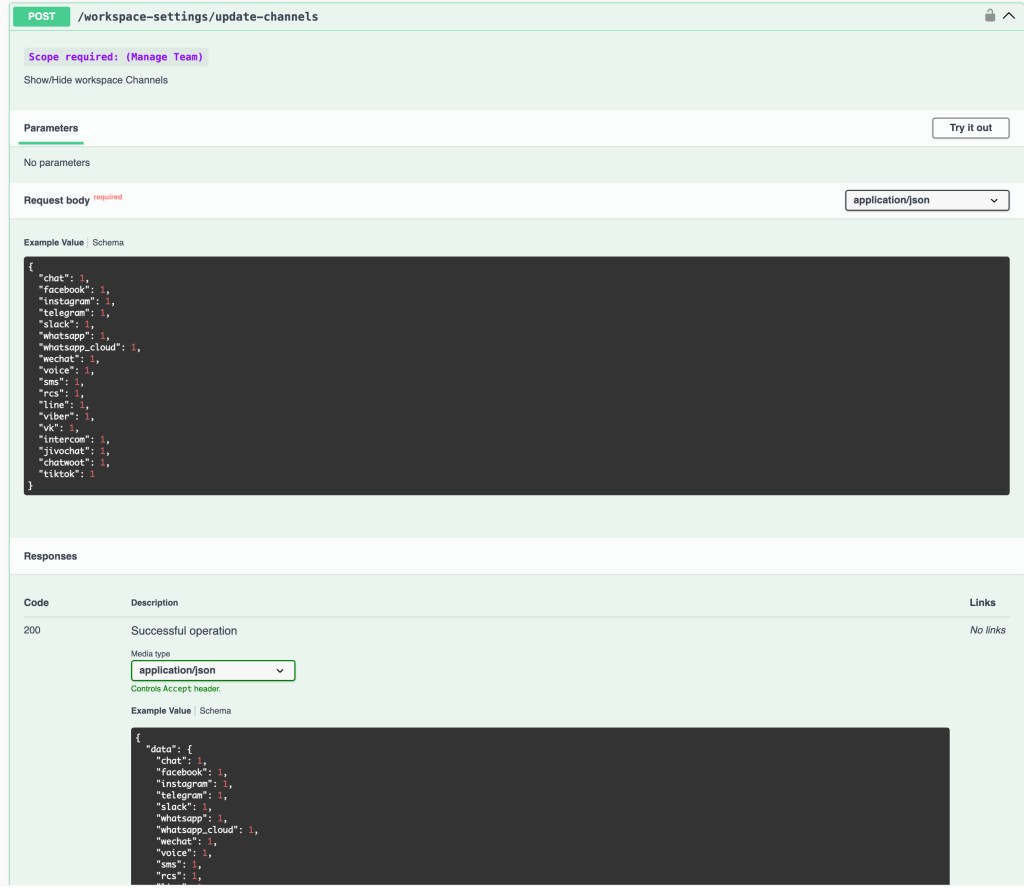
Feature: add API to update workspace settings for show-hide channels
Workspace API — Show/Hide Channels via API
A new Workspace API endpoint allows you to programmatically show or hide any channel in the workspace sidebar — the same controls previously only available through the Workspace Settings UI.
New Endpoint
Method Endpoint Description
| POST | /workspace-settings/update-channels | Show/Hide workspace channels
Request Body
Send a JSON object with each channel name as a key and 1 (show) or 0 (hide) as the value:
{
  "chat": 1,
  "facebook": 1,
  "instagram": 1,
  "telegram": 1,
  "slack": 1,
  "whatsapp": 1,
  "whatsapp_cloud": 1,
  "wechat": 1,
  "voice": 1,
  "sms": 1,
  "rcs": 1,
  "line": 1,
  "viber": 1,
  "vk": 1,
  "intercom": 1,
  "jivochat": 1,
  "chatwoot": 1,
  "tiktok": 1
}
Supported Channels
chat · facebook · instagram · telegram · slack · whatsapp · whatsapp_cloud · wechat · voice · sms · rcs · line · viber · vk · intercom · jivochat · chatwoot · tiktok
What's New
- 🔌 Control channel visibility via API — show or hide any channel in the workspace sidebar programmatically
- ⚙️ No parameters required — all configuration is passed in the request body
- 🔑 Requires Manage Team scope on your API token
- 📦 Response mirrors the request body, confirming the updated channel visibility state
How to Use
- Authenticate with your API key (Manage Team scope required)
- Call POST /workspace-settings/update-channels
- Pass a JSON body with the channels you want to show (1) or hide (0)
- The 200 response returns the updated data object confirming each channel's new state
Full API docs: [api#/Workspace/workspaceSettingsChannelsUpdate](https://www.uchat.com.au/api#/Workspace/workspaceSettingsChannelsUpdat