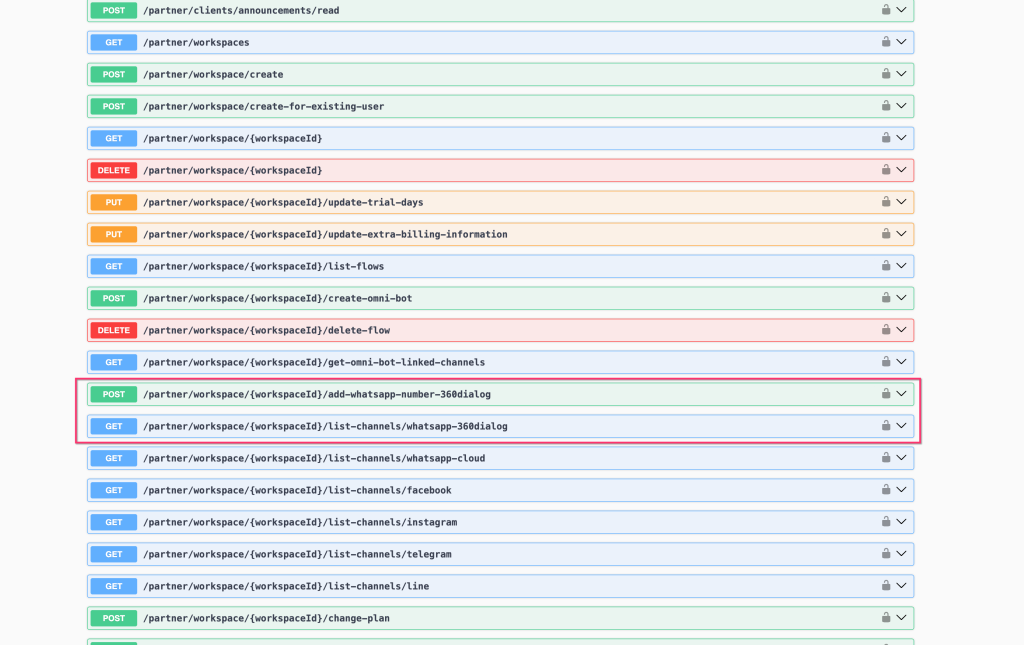
Feature: Partner API - add WhatsApp phone number from 360dialog provider
## New Partner Feature
### Partner API — Add WhatsApp Number via 360dialog Provider
Two new Partner API endpoints allow partners to programmatically connect 360dialog WhatsApp numbers to any workspace on their platform.
#### New Endpoints
| Method | Endpoint | Description | |--------|----------|-------------| | `POST` | `/partner/workspace/{workspaceId}/add-whatsapp-number-360dialog` | Add a 360dialog WhatsApp phone number to a workspace | | `GET` | `/partner/workspace/{workspaceId}/list-channels/whatsapp-360dialog` | List all 360dialog WhatsApp channels in a workspace |
#### What's New - 📱 **Add 360dialog numbers via API** — provision WhatsApp channels in client workspaces programmatically without manual setup in the UI - 📋 **List 360dialog channels via API** — retrieve all connected 360dialog numbers in a given workspace - 🔄 Consistent with existing channel-listing endpoints for WhatsApp Cloud, Facebook, Instagram, Telegram, and Line
#### How to Use 1. Authenticate with your **Partner API key** 2. Call `POST /partner/workspace/{workspaceId}/add-whatsapp-number-360dialog` with the required 360dialog credentials in the request body 3. Use `GET /partner/workspace/{workspaceId}/list-channels/whatsapp-360dialog` to verify the channel was added successfully
Full API documentation: [partner-api#/Partner Management](https://www.uchat.com.au/partner-api)
#### Why It Matters - Enables fully automated WhatsApp onboarding for partners managing many client workspaces - Supports 360dialog as a WhatsApp Business Solution Provider (BSP) alongside the existing WhatsApp Cloud provider - Reduces manual steps when provisioning new client accounts at scale
> 👉 Partner-only feature. Requires a valid Partner API token.