Newest updates
Beside, use "Set User Menu" to switch from one menu to another:
Please check on this tutorial for how to use it. https://www.youtube.com/watch?v=BlsJG9msZHQ
Older updates
Improved
Select Caller ID options when transfer phone call
.png)
Delete Bot User in Action Step or Setup Bot User limit
Hello guys,
You can now clear bot users automatically!
1. Flow Builder - Action Step - Basic Actions - Delete Bot User
2. Settings - General - Bot User Limit
Kindly check this tutorial: https://youtu.be/izVqpPbRf24
You can now clear bot users automatically!
1. Flow Builder - Action Step - Basic Actions - Delete Bot User
2. Settings - General - Bot User Limit
Kindly check this tutorial: https://youtu.be/izVqpPbRf24
Stop/Recover Bot Automation in Facebook Inbox
For the Facebook Messenger chatbot, you can now stop/recover bot automation without accessing UChat.
By simply
1. move the user to "done"
2. move the user to "main"
in your Facebook Business Suit (web or phone) inbox.
Kindly check this tutorial: https://www.youtube.com/watch?v=Gyyxl8oFuJk
By simply
1. move the user to "done"
2. move the user to "main"
in your Facebook Business Suit (web or phone) inbox.
Kindly check this tutorial: https://www.youtube.com/watch?v=Gyyxl8oFuJk
User Menu available in Telegram Chatbot
You can now see "User Menus" section added in:
Telegram flow - Contents - User Menus
Beside, use "Set User Menu" to switch from one menu to another:
Action Step - Advanced Actions - Set User Menu
Please check on this tutorial for how to use it. https://www.youtube.com/watch?v=BlsJG9msZHQ
Improved
Create Bot User in WhatsApp Channel
Hello guys! An update for u about importing uses in WhatsApp.
From now on, please always add a "+" sign in front of a phone number when you create bot users in the WhatsApp channel. The system will remove the "+" for u automatically when creating user_id. It doesn't matter you are creating via API, the create button or import bulk data(csv file).
Besides, when u create via API, only phone value is needed now.
Mini app 2.0 beta introduced

Improved
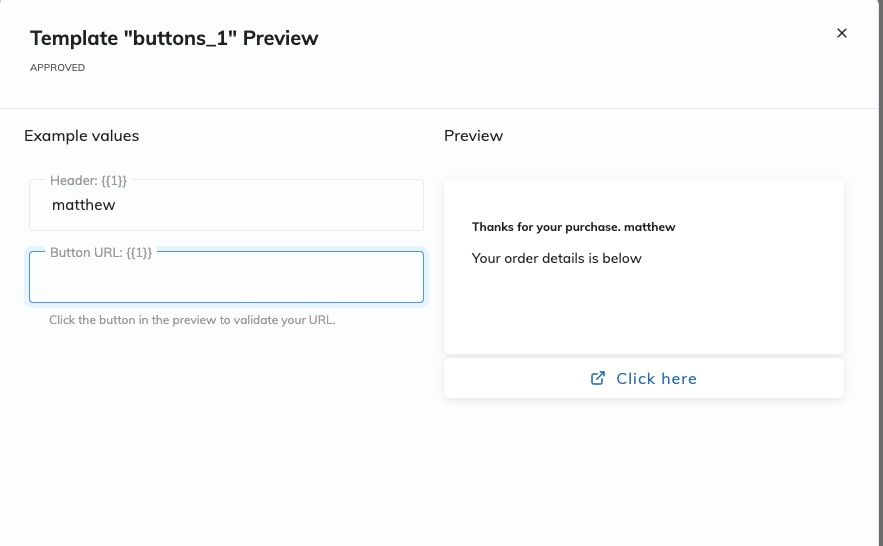
WhatsApp Template Improved
Reply all Facebook & Instagram post comments are supported
New condition of " If comments is anything" is added to Facebook & Instagram comments growth tool.
As per screenshot below, now you can set up automation to reply to all comments.
As per screenshot below, now you can set up automation to reply to all comments.
Fixed
Instagram Story Mention
update on the instagram story mention feature, now it can reply to the new subscriber and existing subscriber.
Add cloudinary integration
We added cloudinary integration, now you can save your file(image, videos, documents) up to cloudinary, and use the upload file in the flow builder.
Agency Billing updates
Now the agency or agency plus plan can get 20% commission on any paid workspace under their domain name.
The agency need to connect with their stripe account.
The agency need to connect with their stripe account.
Improved
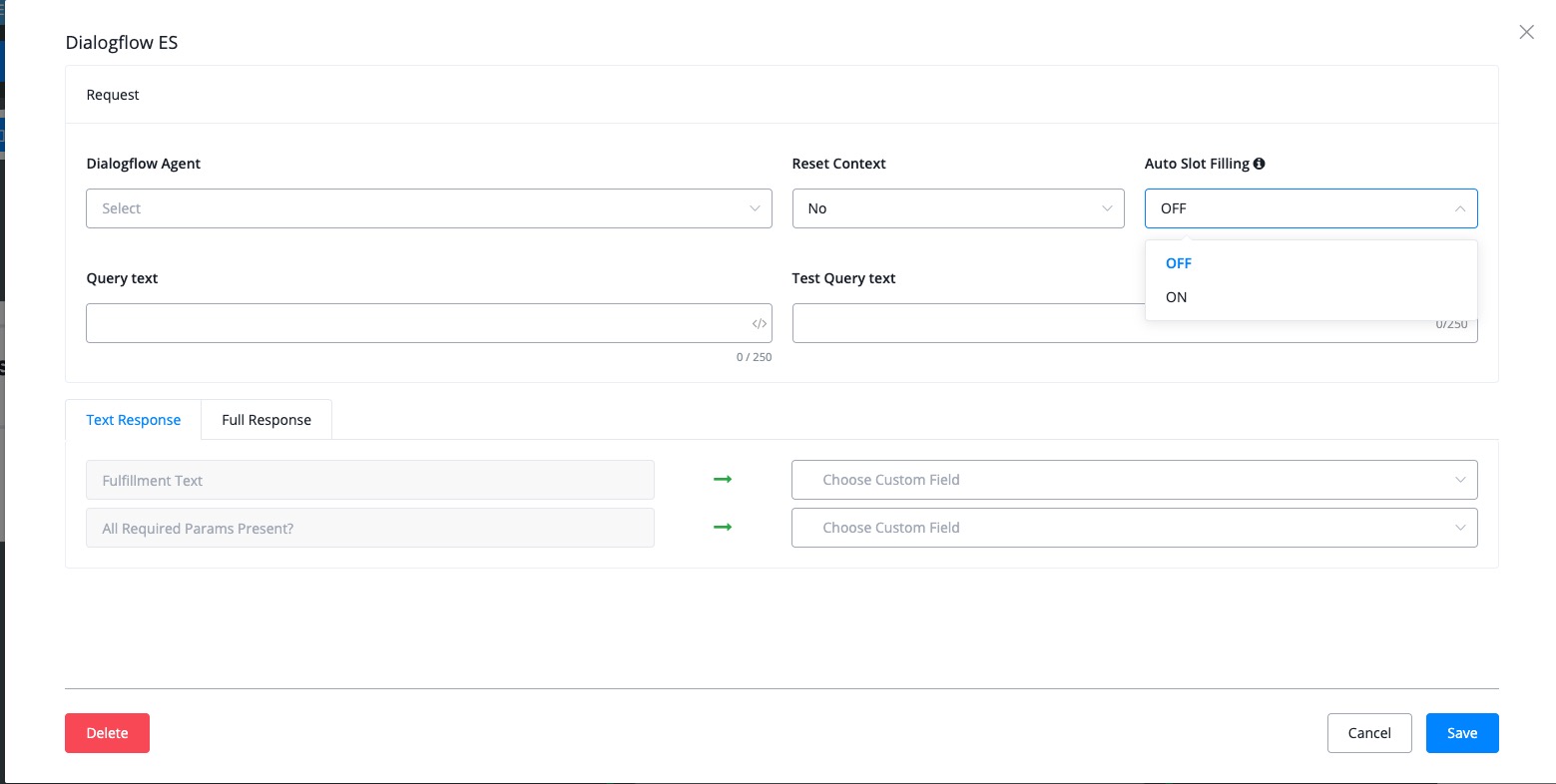
Auto Slot filling added to Dialogflow Action
VideoSDK Integrate with UChat
Now you can initiate video calls right inside of all the channel UChat support
.png)
WhatsApp Messenger Templates supported
You can find the template section in the WhatsApp Channel, Content Tag.
Sync the template from your BSP provider, and use the template in send message module.
Sync the template from your BSP provider, and use the template in send message module.
Human agent Tag added for Facebook Messenger Channel
Now with the new tag added, you can reach out to customer within 7 days window. Don't abuse it, you need to comply with Facebook messenger policy, other you might put your page at risk.
Facebook Ads Payload Support
With this updates, now you can connect chatbot flows with your Facebook Ads Manager.
Also you can pass the UTM parameters right into your chatbot.
You can also see the analytics of the ads performance in UChat.
Video tutorials:
https://www.youtube.com/watch?v=DGq3RtEjFYg
Also you can pass the UTM parameters right into your chatbot.
You can also see the analytics of the ads performance in UChat.
Video tutorials:
https://www.youtube.com/watch?v=DGq3RtEjFYg
Google Analytics Integration
Now you can install Google Analytics mini app.
With our Google Analytics Integration, you can pass the conversion event to your Google Analytics property.
Also you can pass extra UTM parameters to your Google Analytics.
With our Google Analytics Integration, you can pass the conversion event to your Google Analytics property.
Also you can pass extra UTM parameters to your Google Analytics.
Improved
Add listener to payload for Inbound Webhook
Improvement:
Add listen to payload for inbound webhook.
Add listen to payload for inbound webhook.
Improved
Dialogflow Slot filling support with UChat
Imaging now you can do the same "slot filling" in UChat.
Make your chatbot smarter, and collect the necessary information from your customer.
Here is the video of how to set it up.
https://www.youtube.com/watch?v=GYvjq6ot0nA
Make your chatbot smarter, and collect the necessary information from your customer.
Here is the video of how to set it up.
https://www.youtube.com/watch?v=GYvjq6ot0nA
 Powered by FeedBear