Newest updates

Check in use

This new update allows you to check where your specific actions are used inside your flows. We have implemented this check for custom event, menu, otn topic, persona, sequence

Full video overview can be viewed here

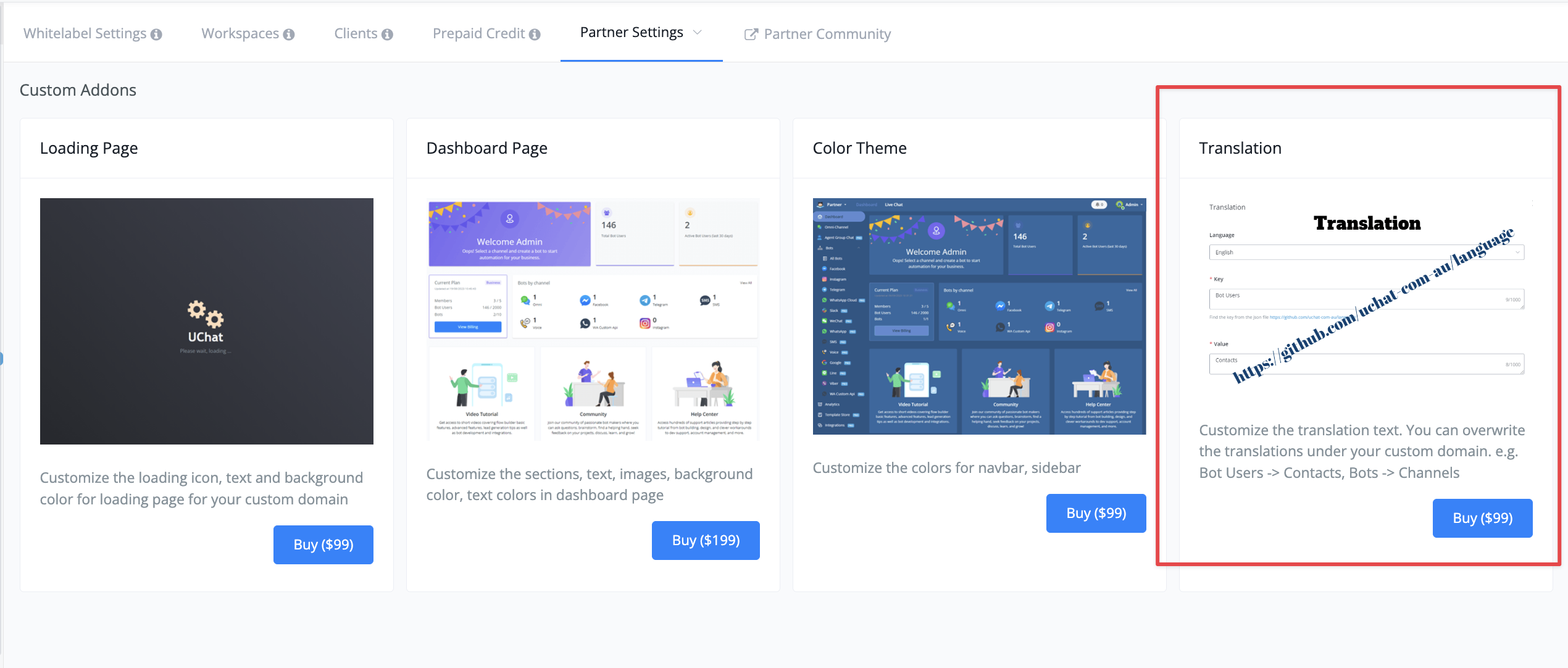
new partner paid addon - translation

this new addon lets you fully customize the labels to your own language


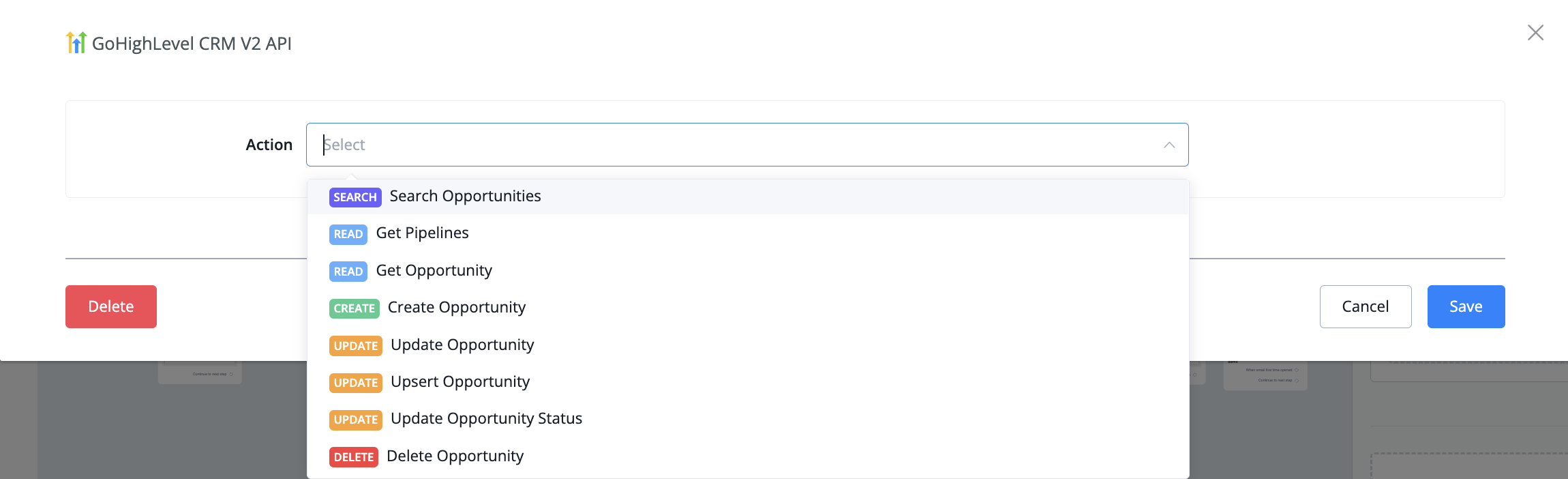
GHL endpoints added: Opportunity

We have added the recently added opportunity endpoints to our native integration


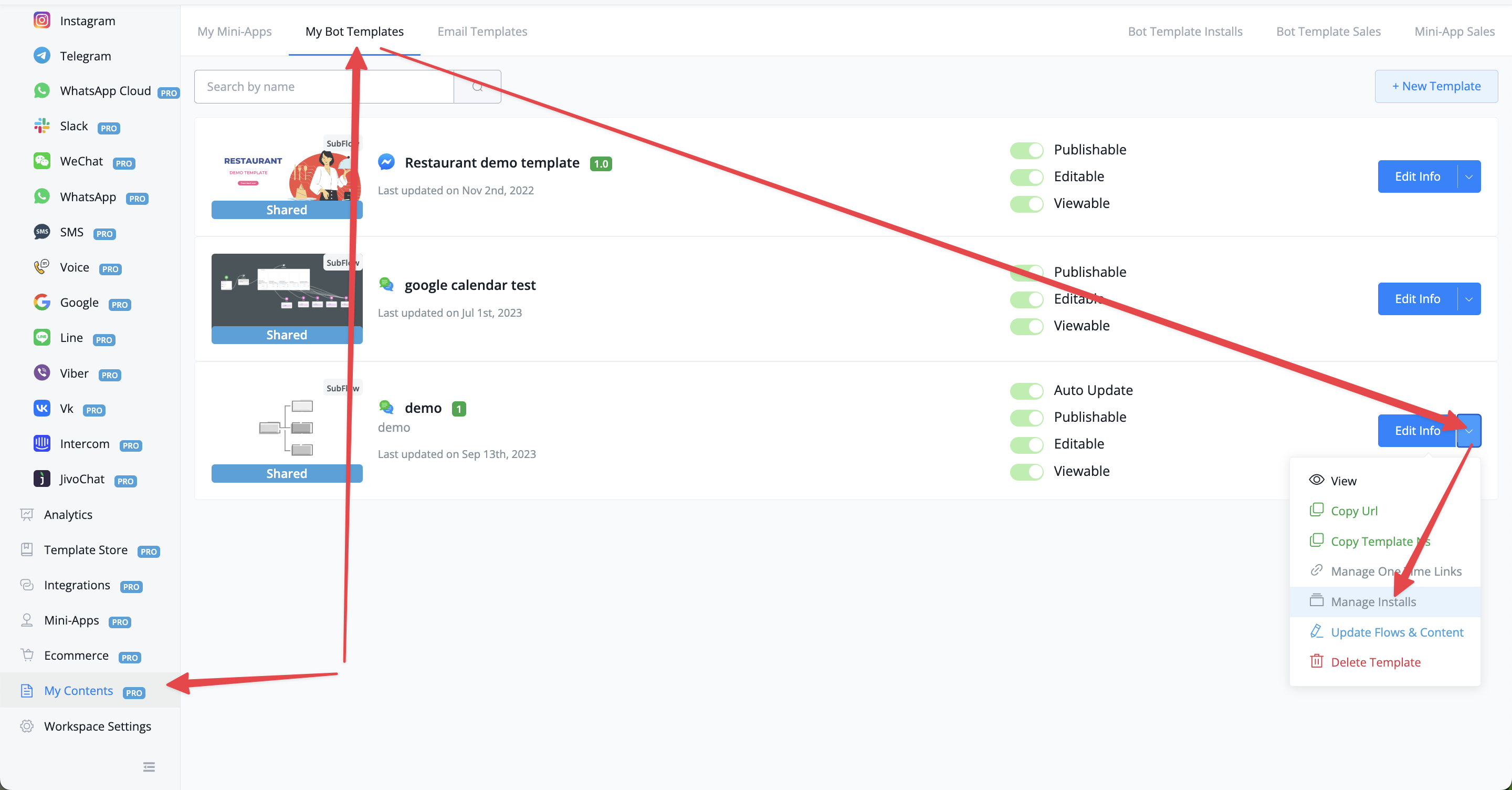
add remote control by owner for auto update sub flow template

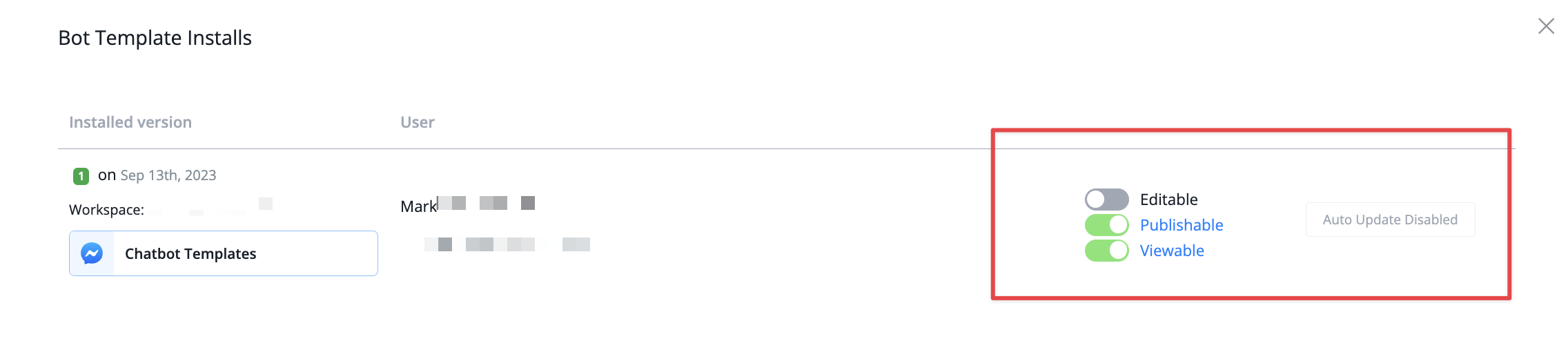
We have added the ability to remotely manage the template installations


from here you will be able to remotely disable or enable certain permissions on a per template basis


More information can be found on a our video guide
New Improved
about 3 years ago

New way of Accessing Bot Export file

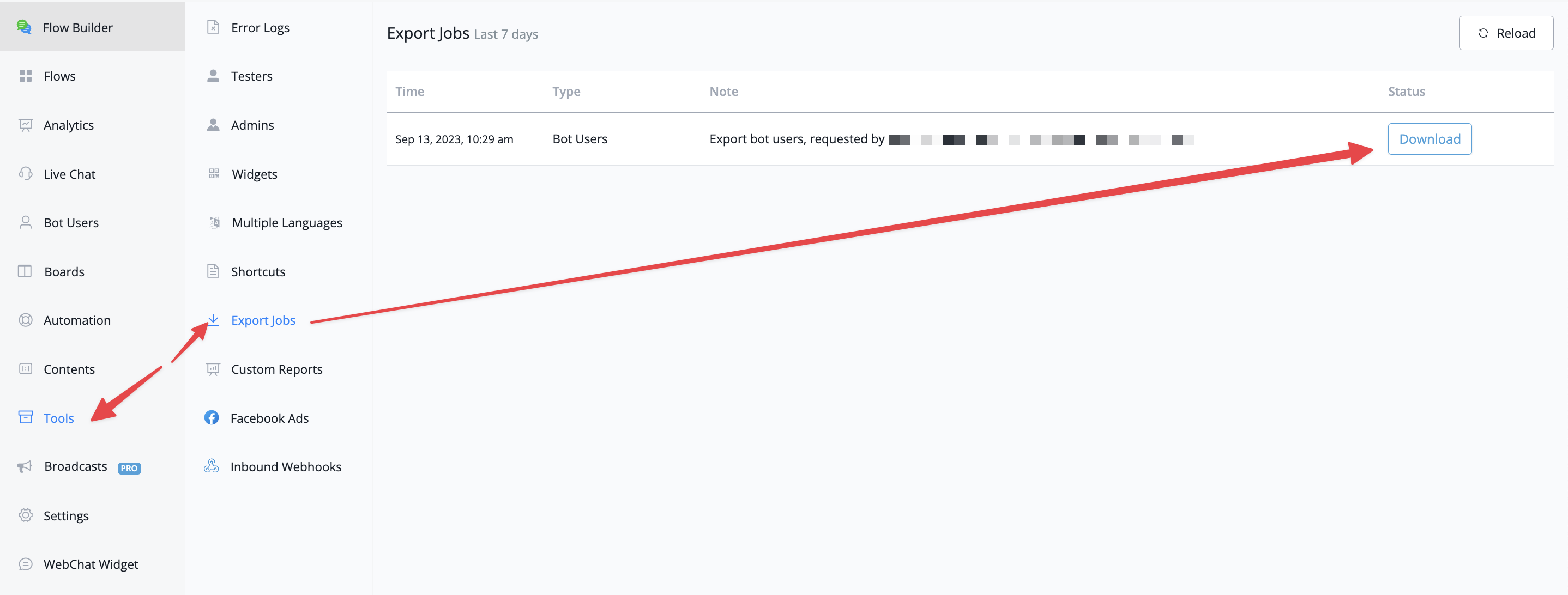
Previously we sent the export file of bot users by email. Because some users reported the email took very long or did not receive it at all we have now added an additional section under the tool section in your chatbot menu.


After pressing the all export button on the bot users overview you will automatically get redirected to this section to download your file. 

Keep in mind that any generated file will be saved for a total of 7 days, so make sure you have downloaded it before that time

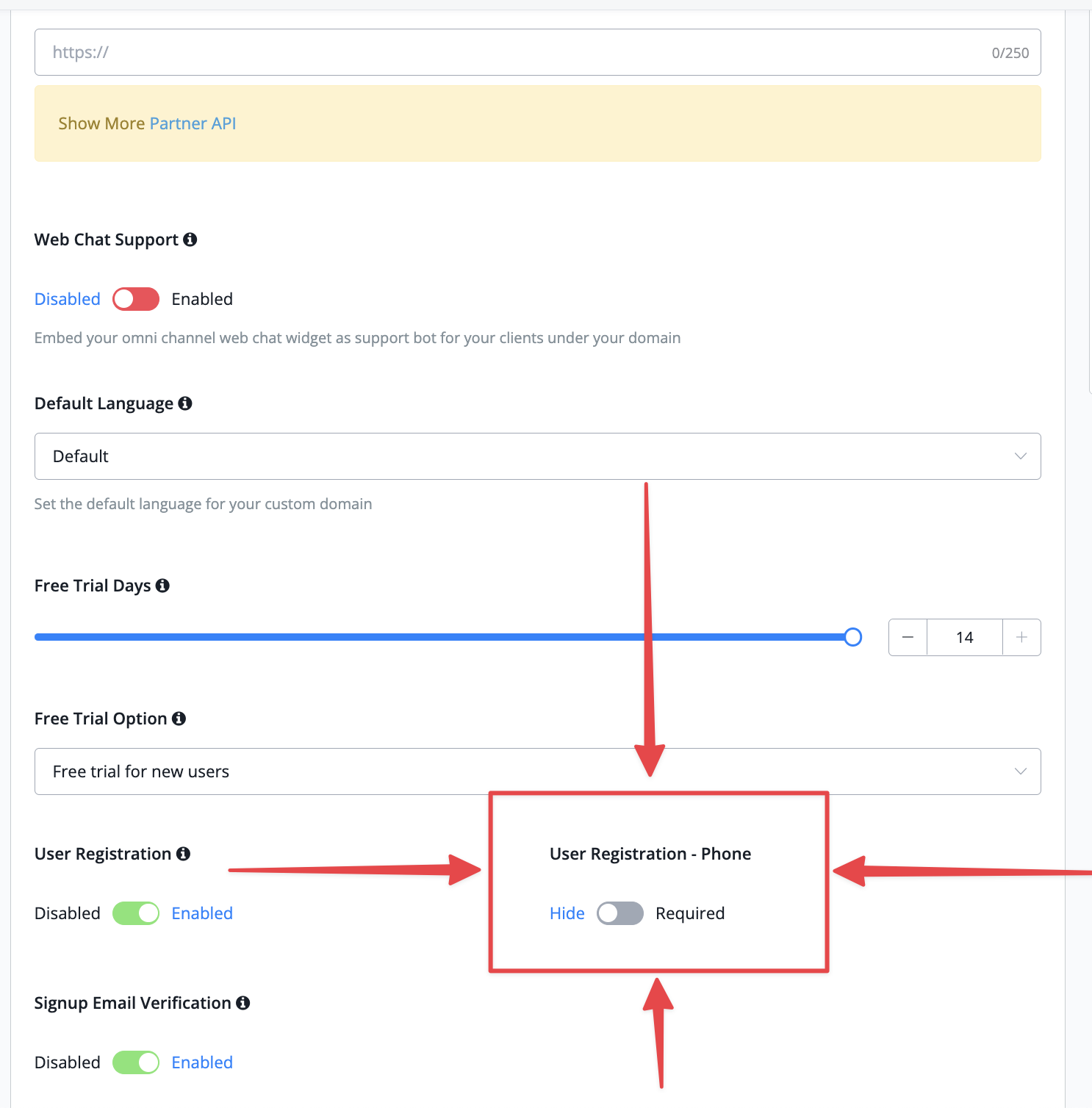
Feature: partner: user registration page allow to enable signup phone field

We have added another field upon the Partner request we received  requesting the phone number on the registration page


this allows you to either make it required or hide the field entirely

Expired for each buttons now trigger default reply

We have now added the ability to trigger a default reply on expired for each buttons. this allows it that whenever a user interacts several days later you can still send them to the next follow up question based on those button clicks

Agent group chats

In order to provide an allround solution where your team can communicate not only with your customers we now bring you a new feature that allows your team to communicate directly inside of UChat.

No need anymore to go back and forth to platforms like Slack. you can now do the exact same inside of UChat and keep everything very handy together

Video walkthrough can be seen here

Two new partner features: add partner credit auto topup and partner client points auto topup

We have added two new features for our partners:

  • Partner credit auto topup. When your credits are too low you can now automatically top-up to prevent workspaces getting downgraded
  • Partner client points auto topup. Similar to the first option but based on a client level

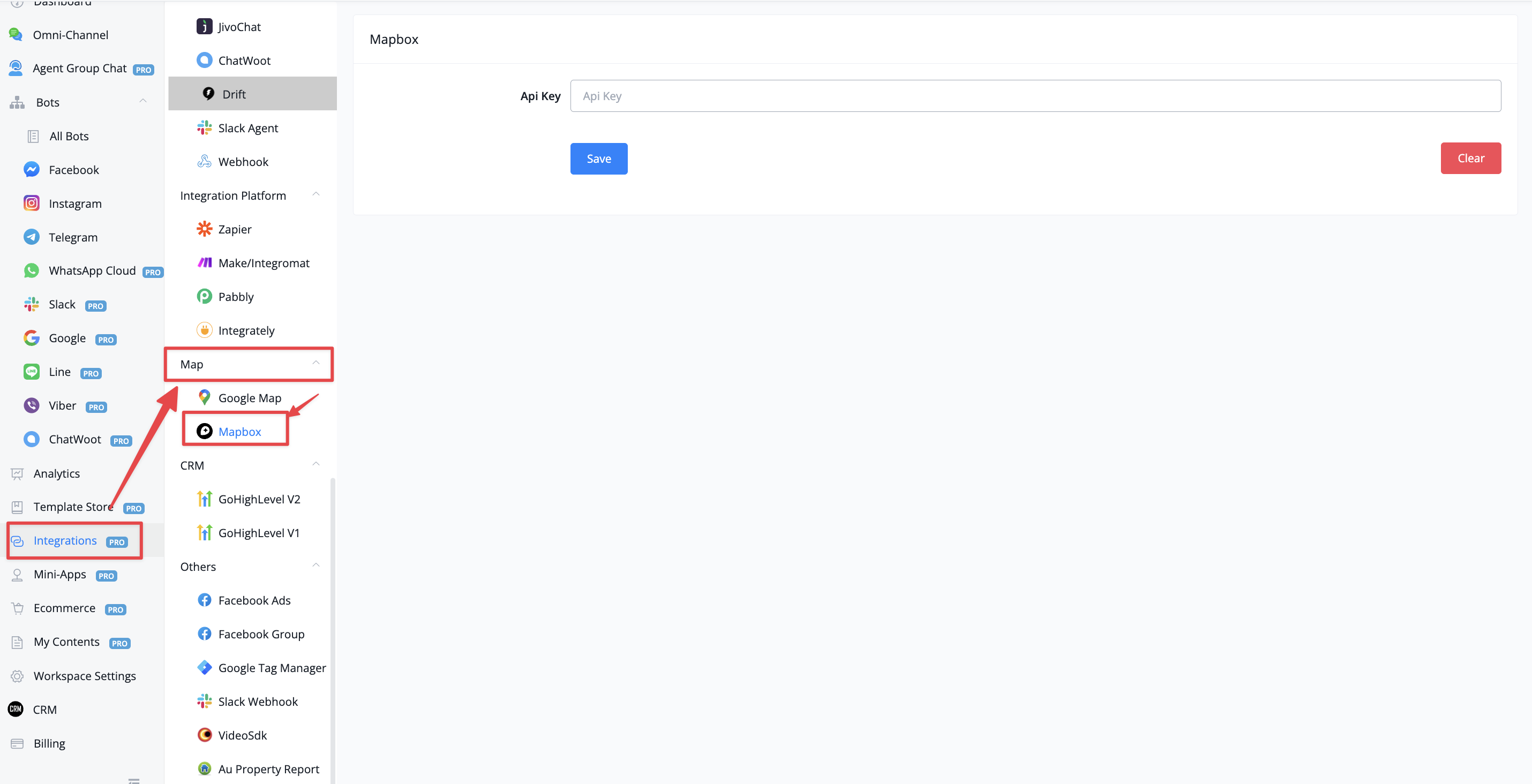
Mapbox integration

We have added a new integration with Mapbox

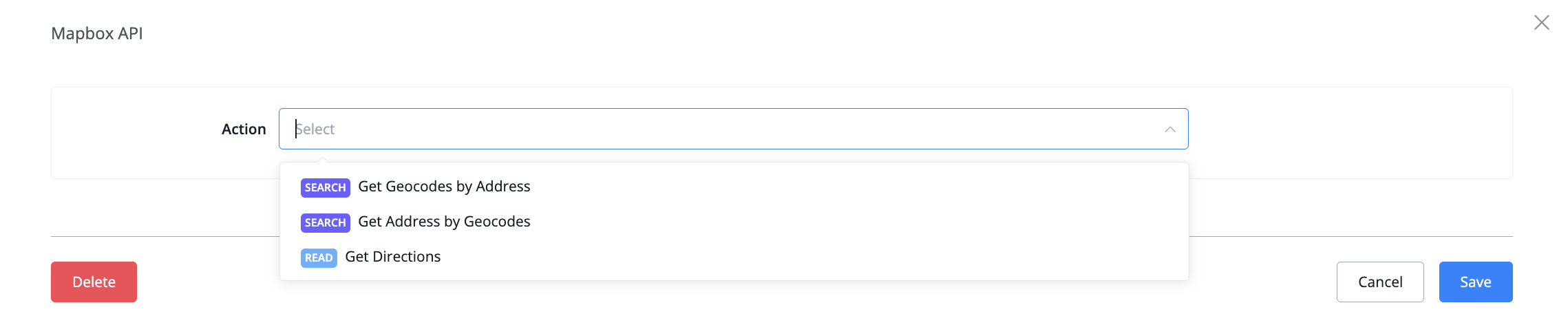
Similar to Google Map you will be able to have access to location based actions inside your flow builder. Go to flow builder -› action node -› integrations -› Map box and you will see the following actions


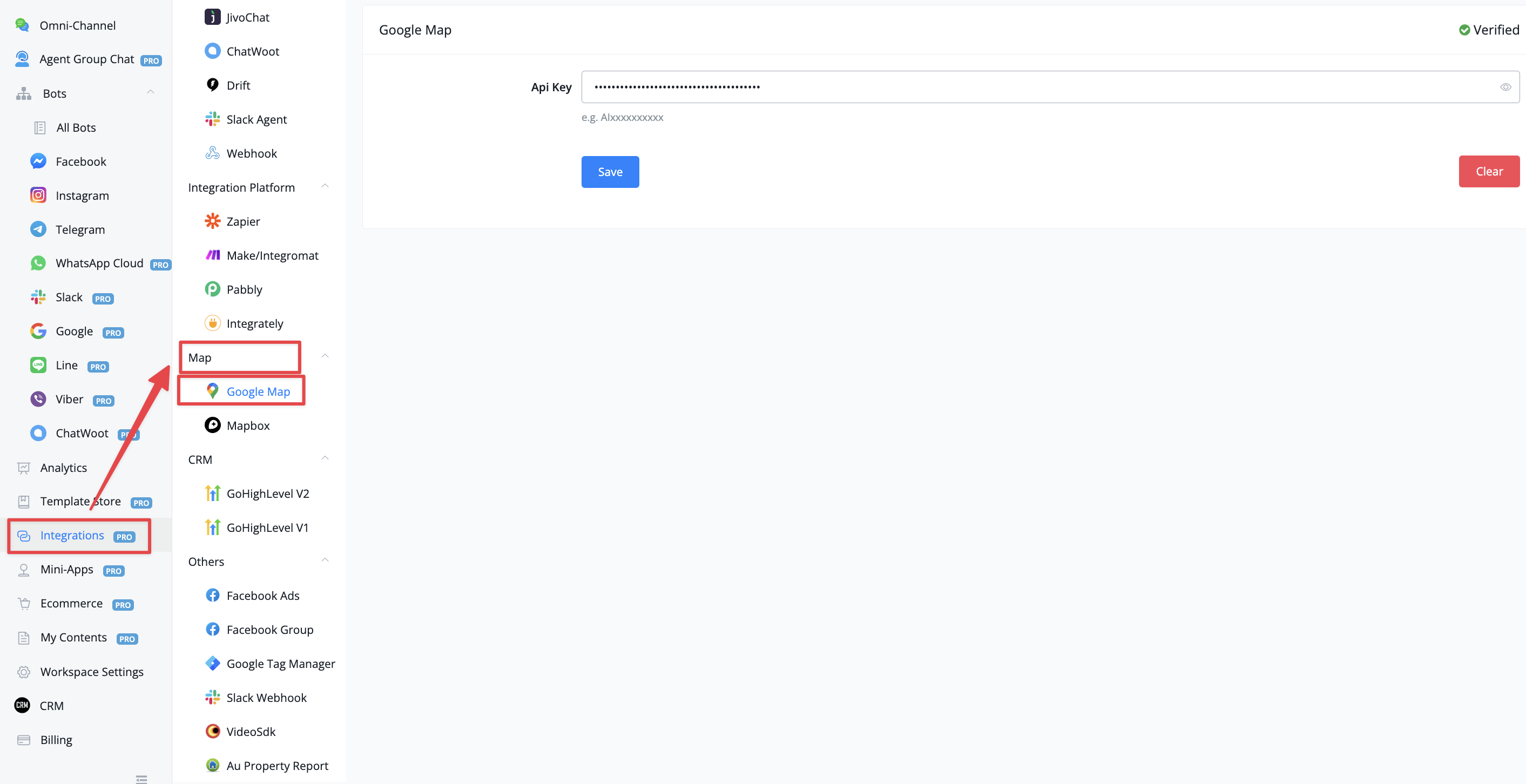
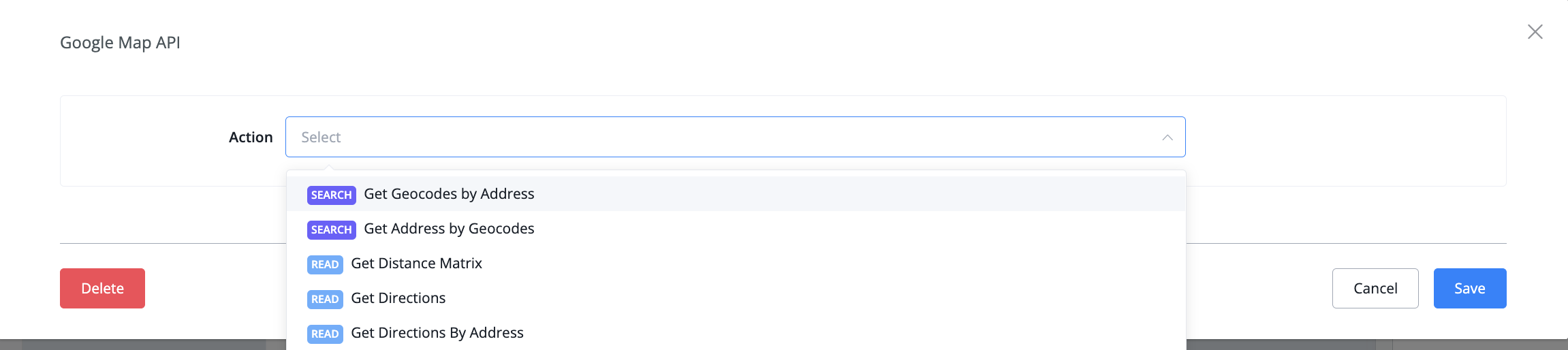
Google Map integration

We have added a new integration for Google Maps. You can just insert your own API key in order to connect to your account


Inside the flow builder -› action node -› integrations -› Google Map API you will find the following actions


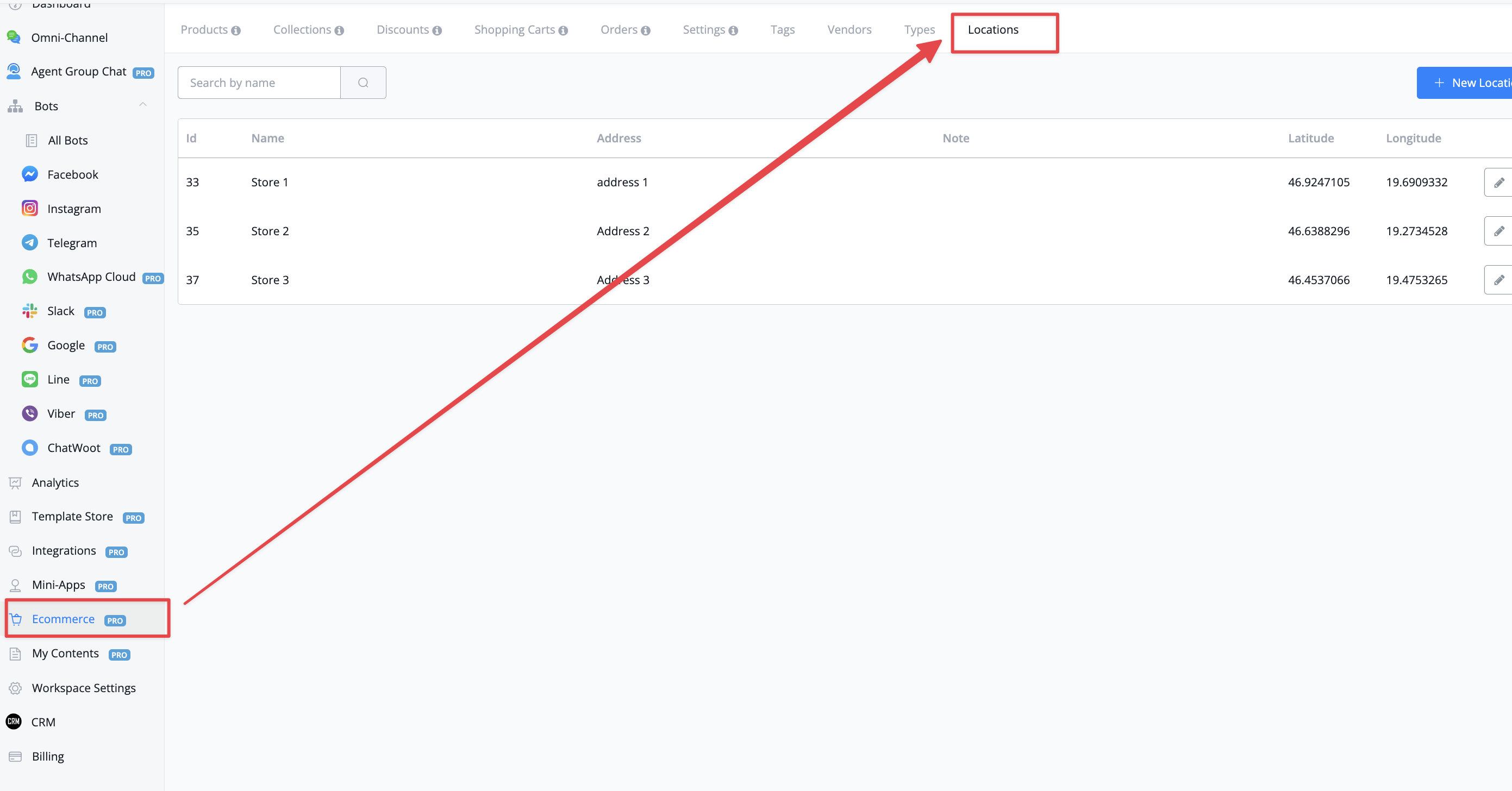
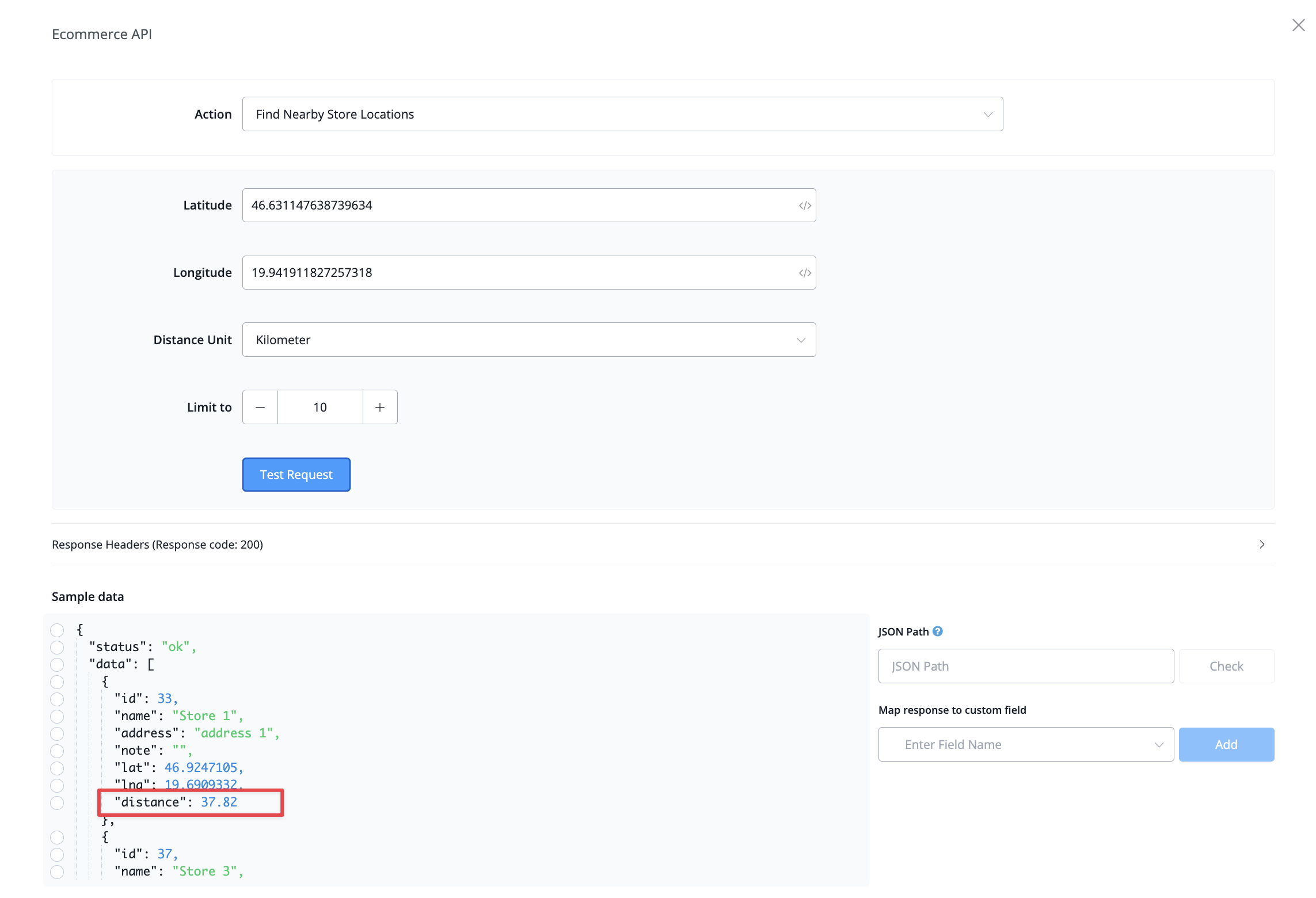
E-commerce Locations

You are now able to use a new section in the e-commerce settings called "locations".

With this feature, you are able to set up your store location and use the e-commerce api to find the nearest locations according to the user location

New partner addons (paid)

We have added two more addons you can upgrade yourself and customize loading page and dashboard page
full details are explained in this video

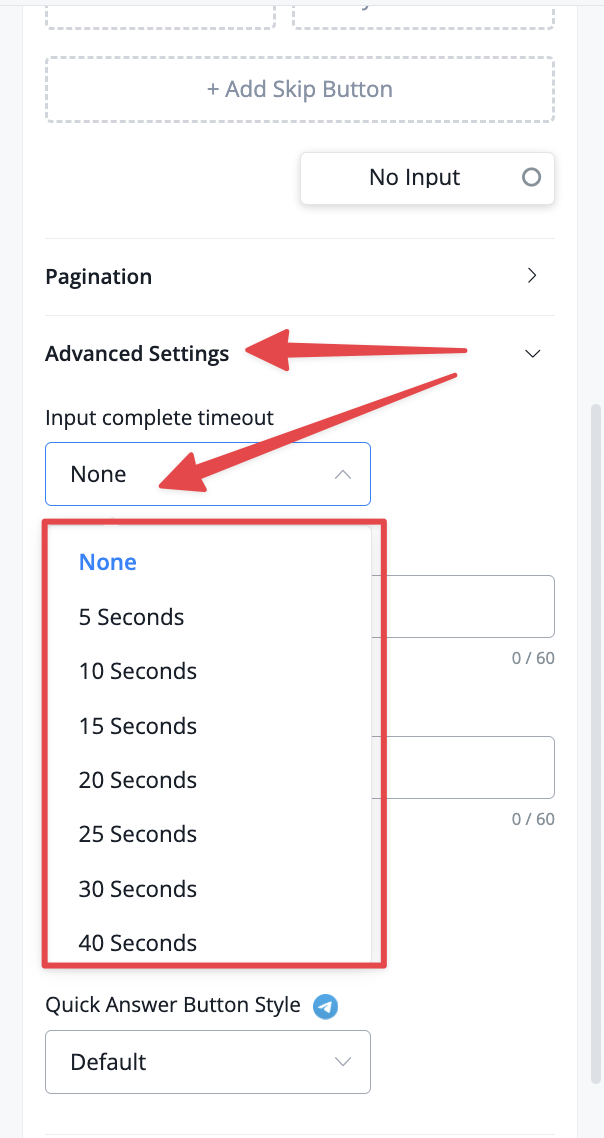
New question text type option

We have pushed an update to allow to overcome a huge issue which is the ability to capture multiple user inputs in one go. We have added a timeout option for you to now capture all input from a user during your selected timeout and save it into one custom field


Do note that this option is only available for question node with a text based type. tutorial can be seen here

Webchat button to websites types

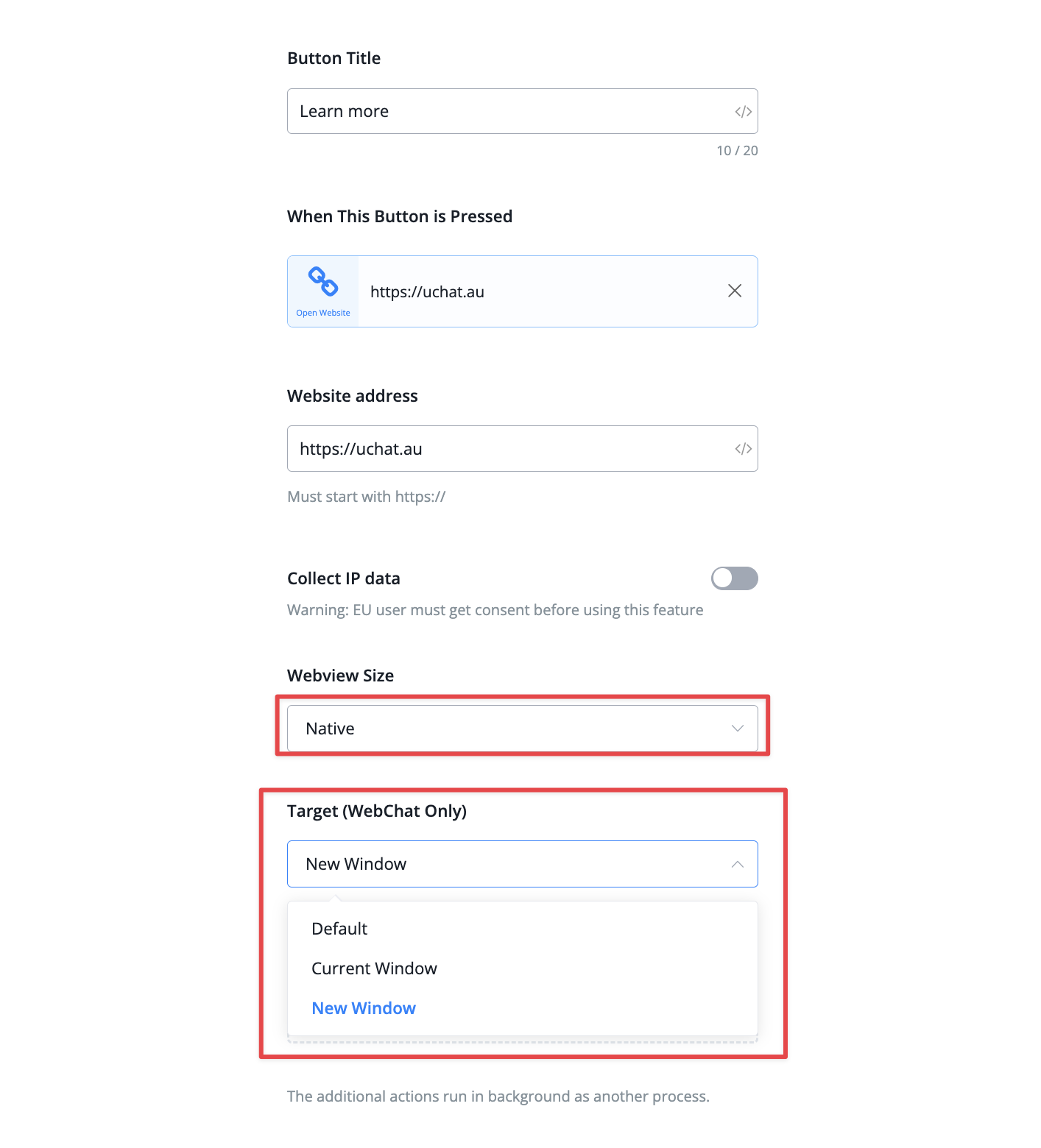
We have added a new option for buttons that targets to go to external links. 
When you set the open status to native you get the 3 following options: 
  1. Default -› opens in chat window
  2. Current window -› moving to the external link inside the same tab
  3. New window -› Moving to the external link in a new tab


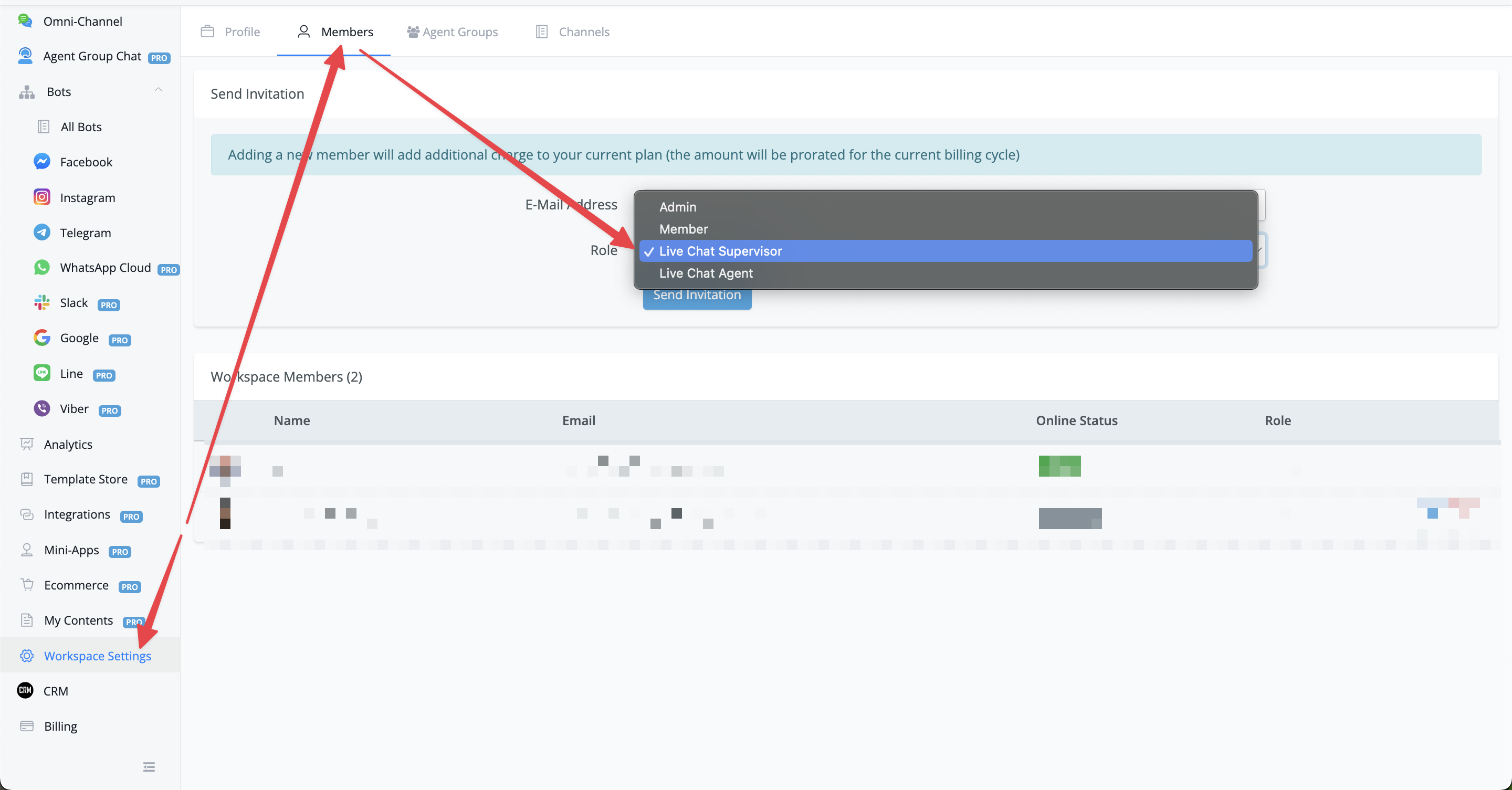
New permission role added: Live chat Supervisor

We have added a new permission role you can use when you would like to invite your team members inside your workspace.

It is called Live chat supervisor. This is similar to live chat agent, but can see analytics and always be able to see all conversations and reassign agents.
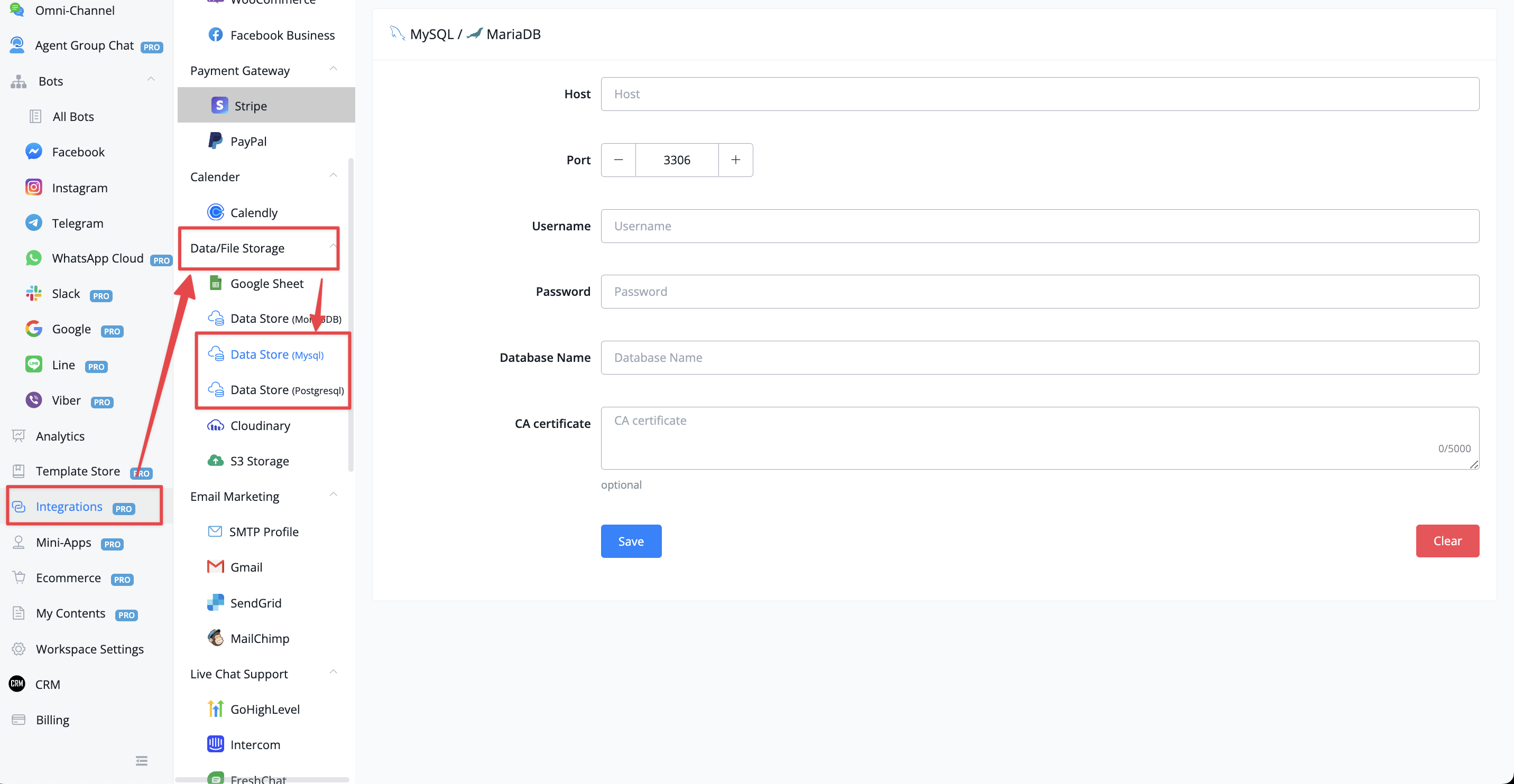
New Datastores added

We have added two new Datastores: 
  • MySQL
  • Postgresql

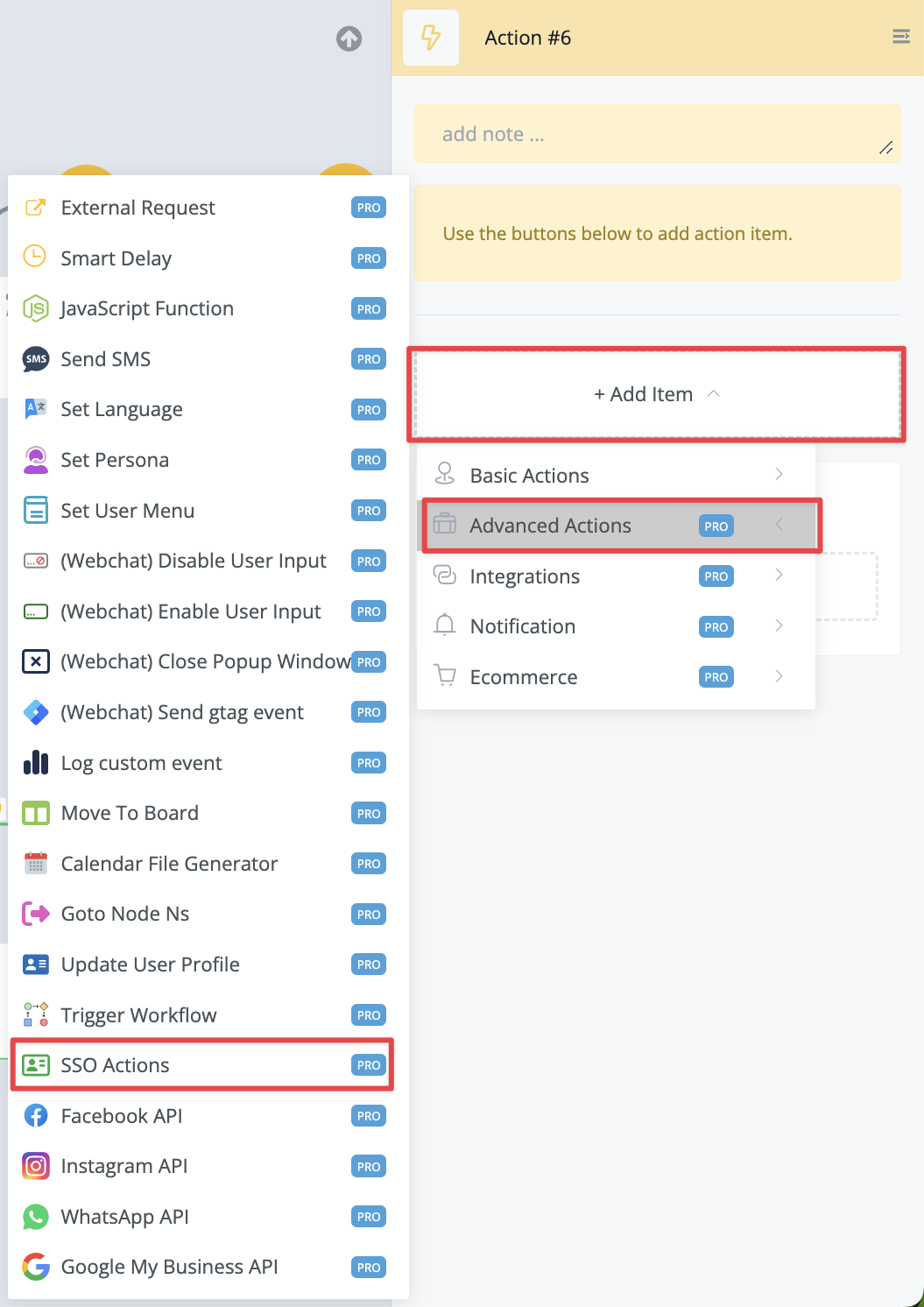
SSO actions added

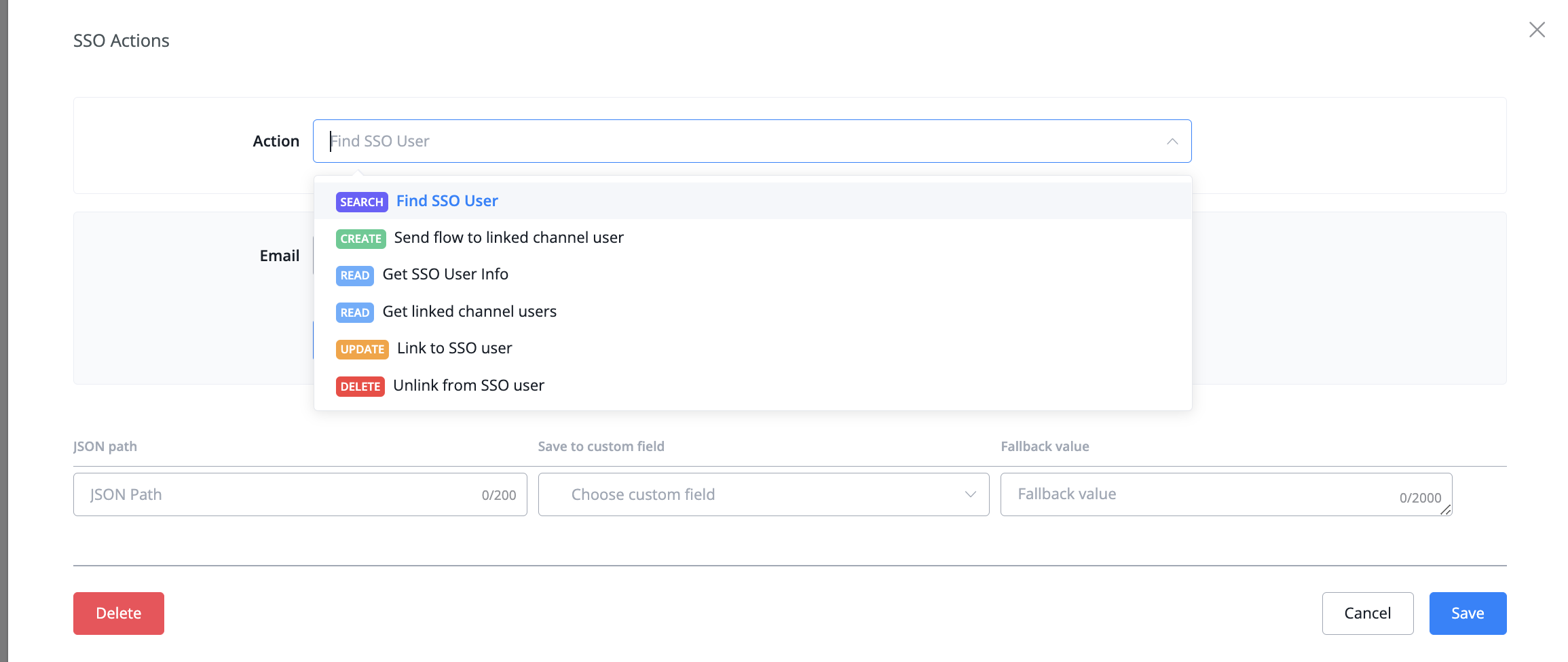
You can now access SSO actions directly inside your flow builder by going with an action block -› advanced actions -› SSO options


You will have access to 6 actions inside


New partner webhook added

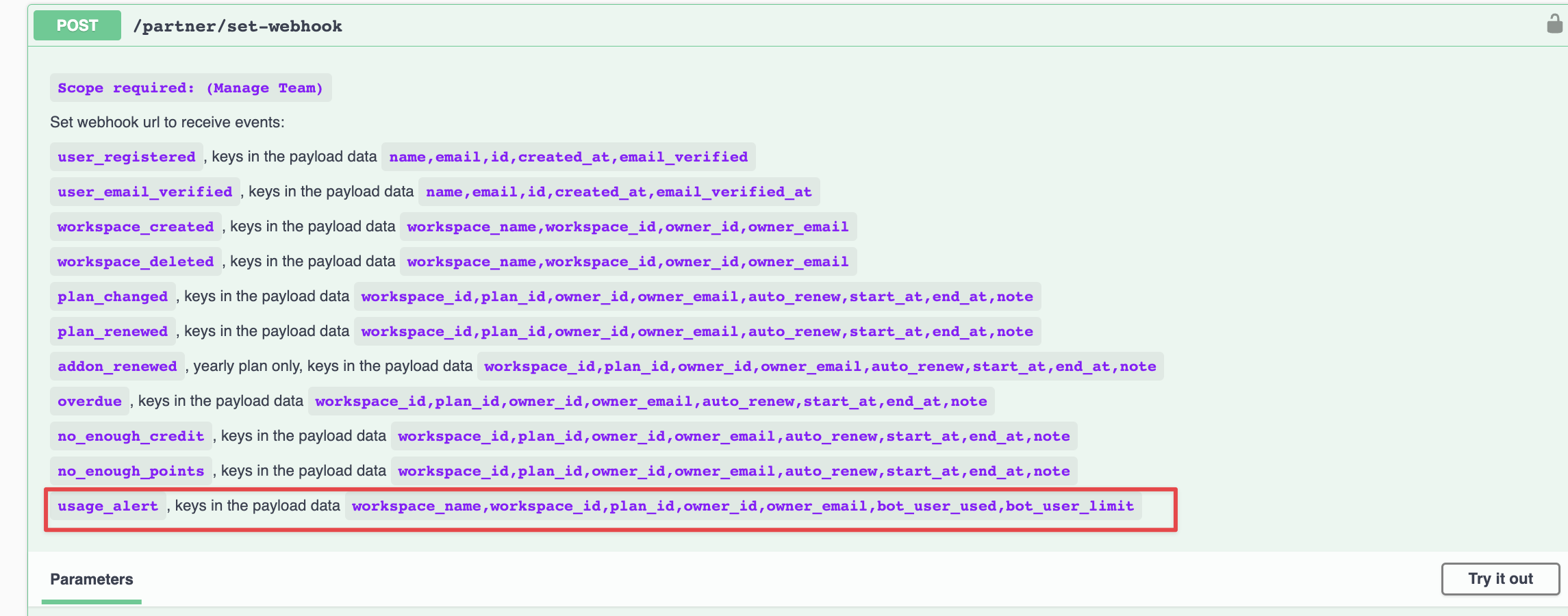
We have added a new partner webhook: usage_alert

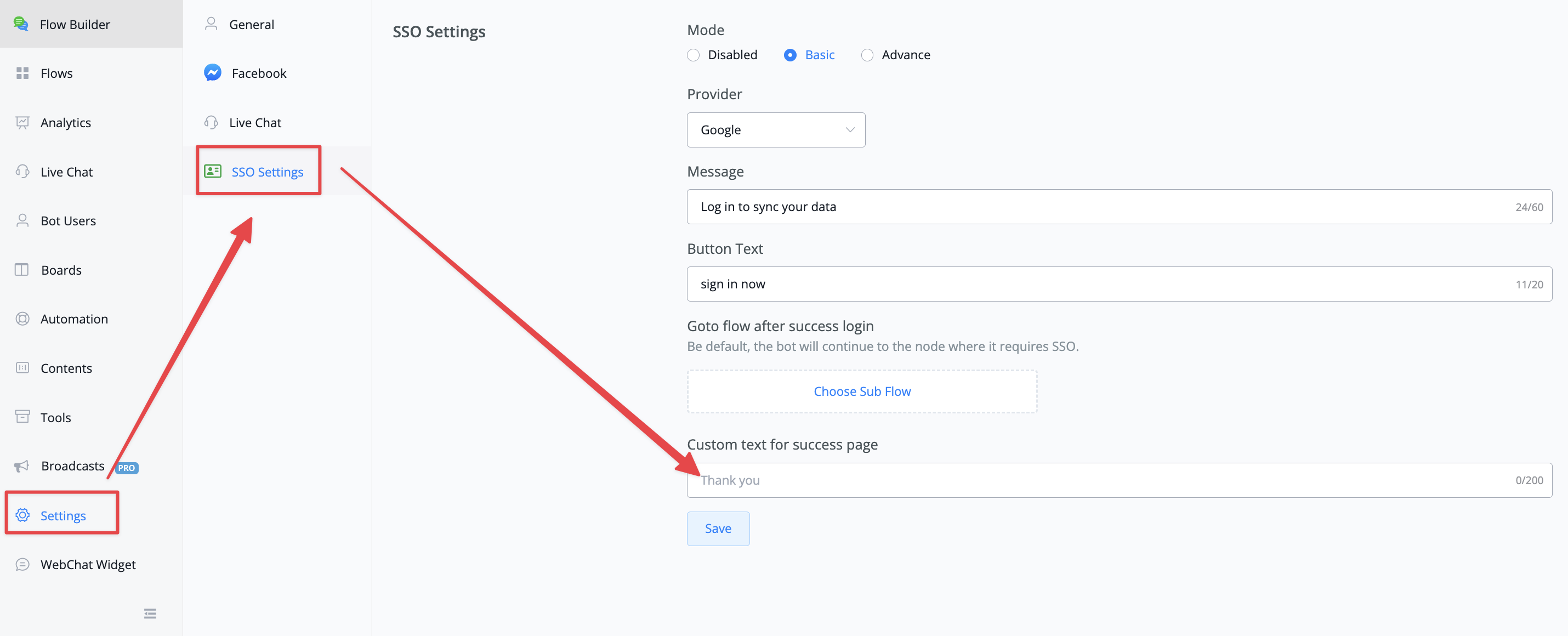
Custom thank you message on SSO settings

We have added the ability for you to customize your thank you message inside the SSO settings
Older updates
Powered by FeedBear